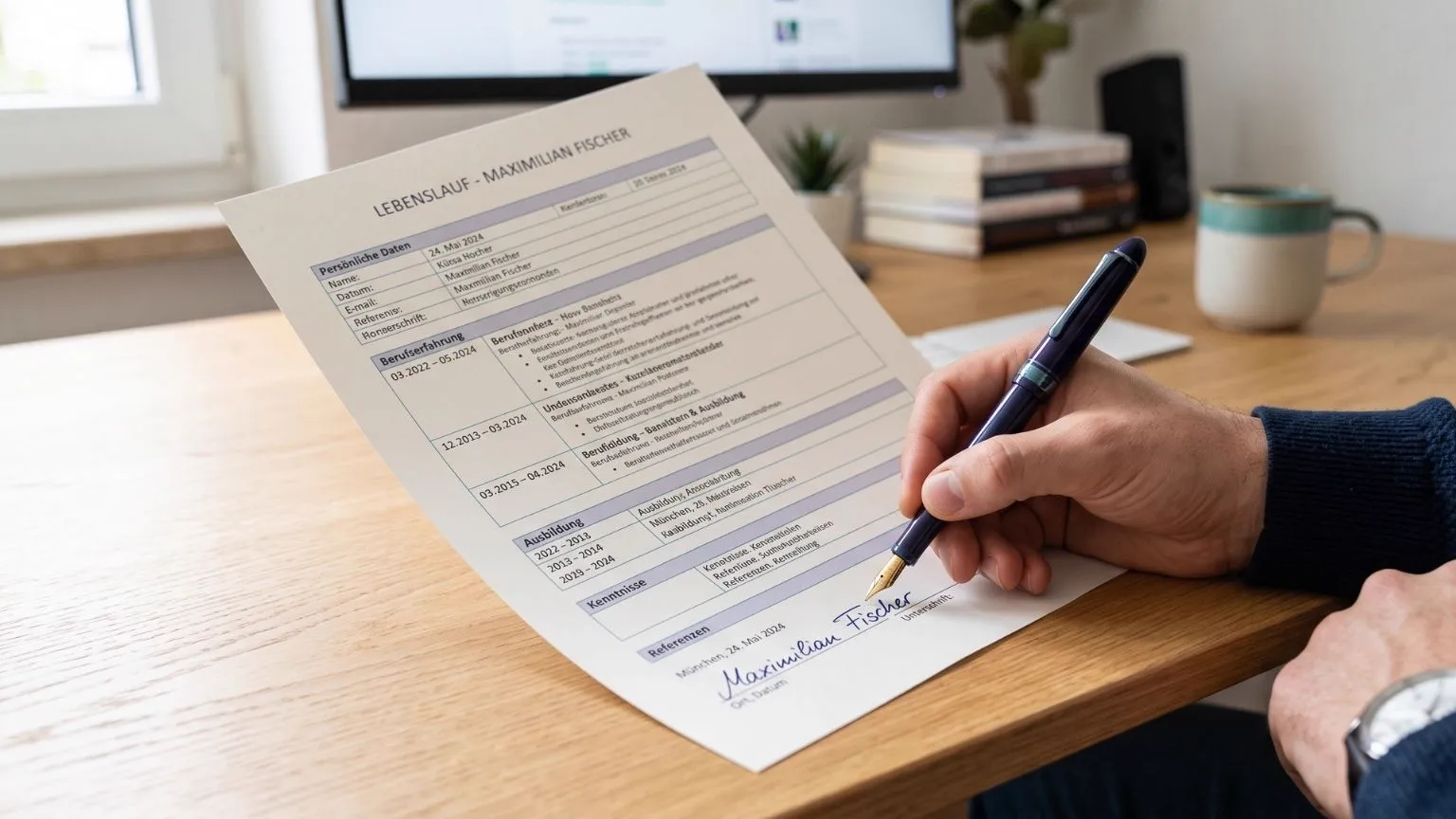
The question always arrives too late. Your CV is finished, the PDF is exported, the cursor is hovering over the send button. Then you remember that every German template had a line at the bottom with a place, a date and a signature. Is that mandatory? And how is it supposed to work digitally at all?
The short answer comes first: there is no legal duty to sign your Lebenslauf (the German CV). It is a German convention. Some employers expect it, others never notice, and in an online form it is meaningless. The longer answer tells you when to spend the two minutes and when to skip them. This piece belongs to the complete CV guide, which only touches on the question.
Duty or tradition? The honest answer
No German law requires a signature under a CV. Written form with a handwritten signature is prescribed by the civil code only where it says so explicitly: section 126 BGB defines what that form looks like, and section 623 BGB demands it for a dismissal, for example. A job application appears in none of those provisions. It is free of form.
The second argument you often hear does not hold either: that a signature makes your CV binding. Anyone who lies in an application risks the employer voiding the contract for fraudulent misrepresentation (section 123 BGB), signed or unsigned. The signature changes nothing about your responsibility for the content.
What remains is a signal, and signals work. For decades a German application was a folder of paper, and paper got signed. That habit lives on in specific places: the öffentlicher Dienst (the public sector) and public administration, law firms and notary offices, banks and insurers, smaller family businesses, and anywhere a HR department has been working through the same checklist for twenty years. In startups, in tech and at international employers, nobody looks at the bottom of the page.
That gives you a simple rule. If you send a PDF, put place, date and signature underneath it. It costs two minutes, it cannot hurt you anywhere, and with some readers it quietly registers. If you are filling in a form and typing your roles into fields, drop the question entirely. There is nobody there to see a signature.
For the record: this section reflects the situation as of August 2026 and is editorial guidance, not legal advice. For an actual employment law question, ask a lawyer.
Where place, date and signature belong
At the very bottom, below the last section, aligned left with the rest of your text. First the line with place and date, then roughly two blank lines, then the signature. Repeating your name in typed form below it is unusual on a German CV; that belongs on letters.
The place is where you live, not the employer's headquarters and not the city the job is advertised in. The date is the day the application goes out. This is where the most common mistake happens: a file gets built once, signed once and then sent out for months. A date reading 14 July on an application sent on 5 September tells the hiring team they were not your first choice. Open the file before every send and move the date on.
One formatting detail that regularly goes wrong: the signature block must not slide onto a page of its own. A third page containing nothing but "Hamburg, 5 September 2026" looks like an accident. If that happens, tighten the spacing slightly and pull the block back onto the last page. And if your CV has grown too long in the first place, the signature is not the thing to cut. What to trim instead is covered in the piece on how long a CV should be.
Signing digitally: the clean route
The standard route for a digital application is a scanned signature. It has worked for years, it looks good if you do it properly, and it takes five steps:
- Sign a few times on a sheet of white, unlined paper with a dark pen that leaves a strong line. A fineliner or fountain pen beats any pale ballpoint.
- Scan the sheet at 300 dpi or better. A photo works too, but then in daylight, straight from above and without your own hand casting a shadow.
- Crop the best signature and remove the background. Save it as a PNG with a transparent background. A JPG cannot do transparency and drops a white box into your document that shows on any coloured surface.
- Place the image at roughly four to five centimetres wide and keep the aspect ratio while scaling. A squashed signature is obvious to everyone.
- Export the PDF and look at it at one hundred percent zoom. If the lines look frayed, your source image was too small.
If you own a graphics tablet or a tablet with a pen, skip the first three steps and sign straight into a drawing app on a transparent canvas. Signing with a fingertip on a phone almost always shows. And a handwriting font is not a signature, it is a sign that somebody improvised. A qualified electronic signature, meanwhile, is built for legally binding declarations and is wildly oversized for a job application.
One trade-off deserves saying out loud, because hardly anyone does: a scanned signature is an image file, and image files get copied. It travels with every application into inboxes, shared drives and applicant tracking systems, and you have no idea how long it stays there. That is not a reason to panic, but it is a decision worth making consciously. If it makes you uncomfortable, you have two options: keep place and date and leave the signature off, which practically nobody ever comments on. Or keep the image file deliberately small, so it looks clean in the document but is of little use to anyone wanting to reuse it.
Online forms and the ATS: when nobody sees a signature
The moment you apply through a portal, the situation changes. Systems such as Personio, Workday or SAP SuccessFactors take your PDF and break it into data fields: employers, dates, positions, skills. An image is invisible to that parser. Your signature does not disturb it, it simply does not exist for it.
In practice: with a pure form where you type your details into fields, the question is settled. If you also upload a PDF, a human usually does open that document later, and then the expectations from the first section apply again. In the German public sector that is the normal case: on portals like Interamt you upload a full set of documents, and that is exactly where the traditional form is most firmly rooted.
You save yourself the most work by keeping two versions of your CV, one with and one without the signature block, and picking whichever the channel calls for. In your document library both sit side by side, so you never have to improvise again.
Does the Anschreiben need a signature too?
Yes, and here the expectation is much stronger. An Anschreiben (the German cover letter) is a letter, and a letter ends with a sign-off and a name. Without one the document feels unfinished, whereas an unsigned CV is simply a CV. The signature goes under the sign-off, your typed name below it.
If you write your application text into the body of an email, you need no image at all. The typed name under the greeting serves the same purpose, and an embedded graphic ends up as an attachment in some mail clients anyway. The Deckblatt (the optional cover sheet) stays unsigned in every variant. It is a title page, not a letter.
Questions that come up in practice
"I have already sent twenty applications without a signature." Then almost certainly nothing happened. There is no case in which a missing signature alone produces a rejection. Add it from the next application onwards and move on.
"Does the signature have to be legible?" It has to be recognisable as your name, not neatly written. A two-letter squiggle, though, is an initialling mark, and those belong on internal file notes, not under an application.
"I print my documents and send them by post." Then sign the original, ideally in blue ink. That distinguishes your signature from a photocopy at a glance, which is a well-understood signal in German offices.
"My CV runs to two pages. Do I sign both?" Only the last one. Place, date and signature close the document; they do not accompany it.
The core of it: a signature is a courtesy, not a formal requirement. Add it when a human will open your PDF. Leave it off when a form is collecting your data. And spend the time you save on the lines above it.
Frequently asked questions
Is a CV without a signature invalid in Germany?
No. A Lebenslauf is not a contract and no law prescribes a form for it. Unsigned, it is perfectly valid, and in many industries nobody looks. The absence is only noticed in conservative companies and in the public sector.
Is a scanned signature good enough?
Yes, that is the normal route for a digital application and nobody expects more. Only the quality matters: cut it out and save it as a PNG with a transparent background, otherwise you drop a white box into your document. A qualified electronic signature is not needed here.
Which date do I put next to my signature?
The day you actually send the application. If you reuse the same file for another employer two weeks later, change the date first. A date from last month tells the hiring team your documents have already been around the block.
Does the Anschreiben need a signature too?
There the expectation is much stronger than on the CV, because an Anschreiben (the German cover letter) is a letter, and letters end with a signature. If you write your text into the body of an email instead, your typed name below the sign-off does the job.