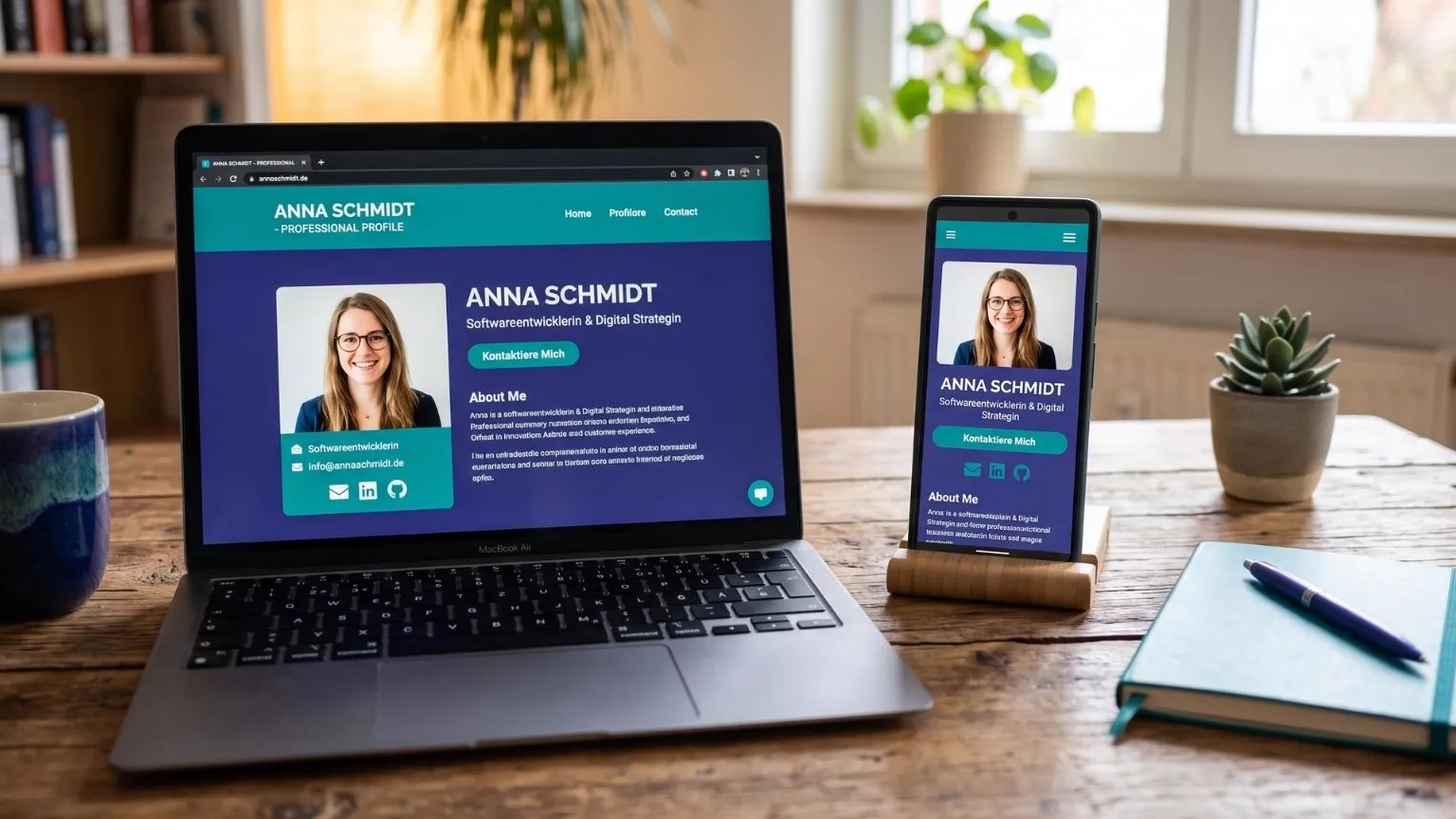
Five files attached, three of them called something with "final": that is the average application email. It usually gets opened on a train, on a phone, where an A4 PDF turns up sideways and tiny. Your own application page reverses the order: you send an address, and whoever taps it starts reading straight away. Whether that helps depends far less on your profession than on how the employer takes applications. This is the deep dive that goes with the complete CV guide, and it answers two questions: when does a page of your own earn its keep, and what has to be on it so that it is more than a pretty copy of your PDF?
One link says more than five attachments
An application page is not a second CV. It is the same content in a form you
can pass on: an address like jobvin.de/p/yourname that you drop into an email,
attach to your LinkedIn profile or read out over the phone. No attachment that
trips over a size limit, no file that looks different on someone else's machine
than it does on yours.
The real difference, though, is not the look. It is control. A PDF is out of your hands the second it leaves: it gets forwarded, ends up in a folder and still shows today's version four months from now. A page you edit, and the next person to open it sees the new version. You can switch it to private when the search is over. An attachment offers you none of that.
One more benefit you only notice once you have it: there are no page breaks. The endless argument about whether your Lebenslauf (the German CV) fits on two pages is an argument about the document. A page has no pages. It has an order.
When a page of your own sets you apart, and when it does not
Honestly: for a lot of applications in Germany, a link does precisely nothing. Better to know that in advance than to wonder about it afterwards.
It helps you where somebody wants to get a sense of you as a person and needs more than a table to do it:
- Jobs with a portfolio culture. Design, web, UX, photography, writing, software: if you have work to show, a link shows it better than a 12 MB attachment.
- The Initiativbewerbung (a speculative application). You are getting in touch without an advert. A link asks less of a stranger than a file does.
- Referrals and networking. Somebody passing you on internally would much rather pass on one address than three files.
- Career changers. Where your path needs explaining, a page gives you room for the two sentences that no longer fit in the document.
Now the other half. In the öffentlicher Dienst (the German public sector), a link will get you nowhere. Those procedures are formalised, usually with selection criteria fixed in advance and an obligation to document the decision: what gets assessed is what is in the file. Anything you put on the internet on top of that is not part of it, and must not be, because otherwise applications would no longer be measured against the same yardstick.
Large corporations with their own portal work much the same way. Systems such as Workday, SAP SuccessFactors or Personio know form fields and file uploads. Your link, at best, lands in a free-text box that nobody clicks, because the shortlisting happens inside the system view rather than in a browser. And recruitment agencies that anonymise your documents before passing them to their client work directly against their own process if your name and photo sit on a public page.
The rule of thumb: the more personal the route into a company, the more a link does for you. The more formalised the procedure, the less. And in no case does the page replace your CV as a PDF. It comes on top.
What belongs on the page
The structure follows the same logic as the document, just without the fight for space:
- Header: your name, one sentence on what you do, plus location and working model. That you are open to something new can go here too, with a date if you want.
- Key figures: three, at most four short numbers with labels, such as years in the field or the size of a team. Beyond that it becomes statistics and nobody reads it.
- Positions: title, company, dates, two or three sentences, in reverse chronological order as in your Lebenslauf.
- Skills, education, languages: short, as a list, without rating bars.
- Projects and profiles: with links. This is the part a PDF cannot do.
- Contact: the roles you are aiming at, a CV to download and a way to reach you.
What does not belong there matters just as much. Your full postal address and your phone number have no business on a public page, and neither does your date of birth. Inside a German application they are conventional details; out in the open they are building blocks for somebody who wants to impersonate you. That is why photo, email address and date of birth are three separate releases at Jobvin, all three allowed to stay off. People can still reach you through the contact form. The photo deserves a second thought in particular: it shows characteristics such as age or ethnic origin that nobody may select on under the AGG, the German equal treatment act (full text), and once it is public it stays public.
Two arguments from the PDF world simply do not arise here. A photo is optional. And whether you have to sign your Lebenslauf is a question about the document, not about the website. Nobody signs a web page.
Visibility and privacy: you decide who sees what
An application page is exactly as public as you set it. Jobvin gives you three levels. Public means search engines may index the page. Link only means it is reachable but explicitly tells search engines to stay out of the index. Private means every visit gets a short notice and nothing else: not a single detail about you, not even in the metadata messengers use for their preview cards.
One point of honesty belongs here: link only is not a password. Anyone who has the link, or is forwarded it, gets in. The setting keeps your page out of Google, not out of circulation. If you are still under contract somewhere, that is exactly the level you want: your current boss will not stumble over you in a search, and the employer you are courting still sees everything.
The default is private, so a new page never goes online by accident. It goes online when you confirm in a dialogue that your personal details are meant to be public. The contact form is built just as sparingly: it stores only what the sender types in, namely name, company, email and message. No IP address, no browser fingerprint, and after 180 days a daily job deletes the message.
Minutes rather than weekends: the Jobvin route
Building a website of your own costs a weekend and then costs maintenance, both spent in the weeks you meant to be writing applications. The route through My Page is shorter because it asks nothing new of you: the page reads your master profile when somebody opens it. Change your profile and the page changes with it. There is no second version to maintain.
Four steps. Fill in your profile. Choose your address, three to 40 characters, lower case letters, digits and hyphens, with availability shown as you type. Pick a design and your releases, four looks and one accent colour. Then set the visibility.
What you do not get belongs in an honest description too. There is no custom domain; your address sits under jobvin.de. There are no visitor statistics, so you cannot see who clicked. The footer carries one line saying the page was built with Jobvin, though no logo. And the downloadable CV is a snapshot, generated when you publish and fixed from then on, so that nobody holding the link reads along with every later edit. For a fresh version you publish once more. If you are applying in English, the page can be in English too, and the content side of that is covered in the article on the English CV.
Putting the link to work: signature, short application, network
The best spot is a single line at the end of your cover letter: "My CV online: jobvin.de/p/yourname". Anyone who wants more clicks it, anyone reading the documents anyway just reads on. The same link belongs in your email signature, where every message in an ongoing process then carries it without you ever mentioning it.
At job fairs and in your network, the address is the actual argument. It fits on a business card, you can dictate it, and it stays the same even if you rewrite your CV three times. Which is why you should keep it pronounceable: firstname-lastname is good, cryptic abbreviations are not.
And the old rule still stands: attach what was asked for. If the advert wants a PDF, it gets a PDF. The link is the extra for anyone who wants to know more, not a substitute for the documents. An application page will not win you a job. It makes sure the work you put into your CV still arrives when somebody opens it on a phone between two meetings.
Frequently asked questions
Do I need my own domain?
No. With Jobvin your page lives at an address of the form jobvin.de/p/yourname, and you cannot put your own domain in front of it. For a job application that costs you nothing: what matters is that the link is short and that you can spell it out over the phone.
Can employers see how many jobs I am applying for?
No. Your page shows exactly what you release and nothing else. The applications you are running stay in your own private area. The reverse is also true, though: there are no visitor statistics, so you will never know who opened the page.
Can I tailor the page to one specific application?
You have one page, not one per application. You can edit it whenever you like, and the change applies to everyone who opens it afterwards. For a genuinely tailored version, use your Lebenslauf as a document. The page stays your general shop window.
What if I want to take the page offline?
One click on private, and the address shows nothing but a short notice. Not a single detail about you remains, not even in the preview card a messenger builds. What search engines cached before that disappears more slowly, which is why "link only" is the calmer setting while you are still employed.